
How to Find Your Technician Position Description
Go to the FASCLASS website:
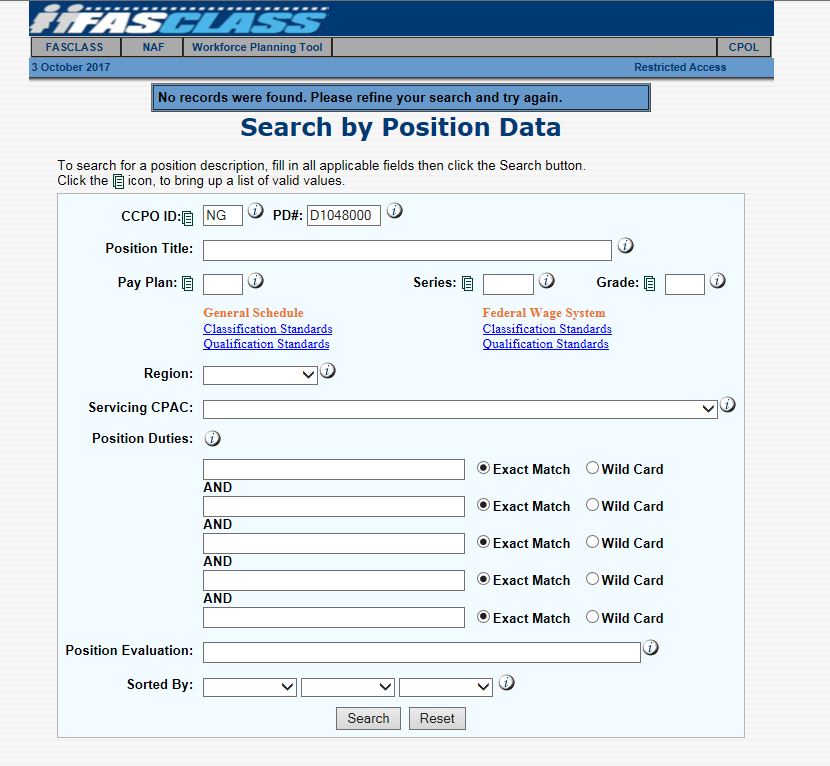
2. Put “NG” for National Guard in the CCPO ID field.
3. For PD# field, put “D” for dual status or “T” for Title 5 then the numbers.
4. Click search.
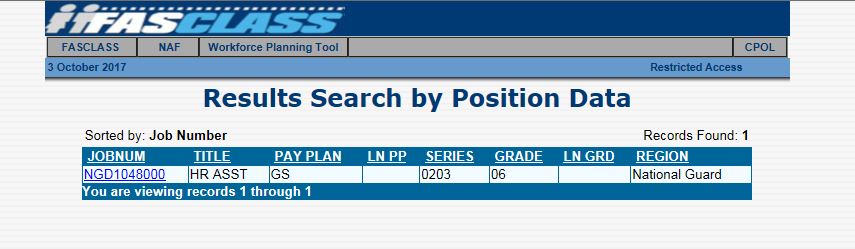
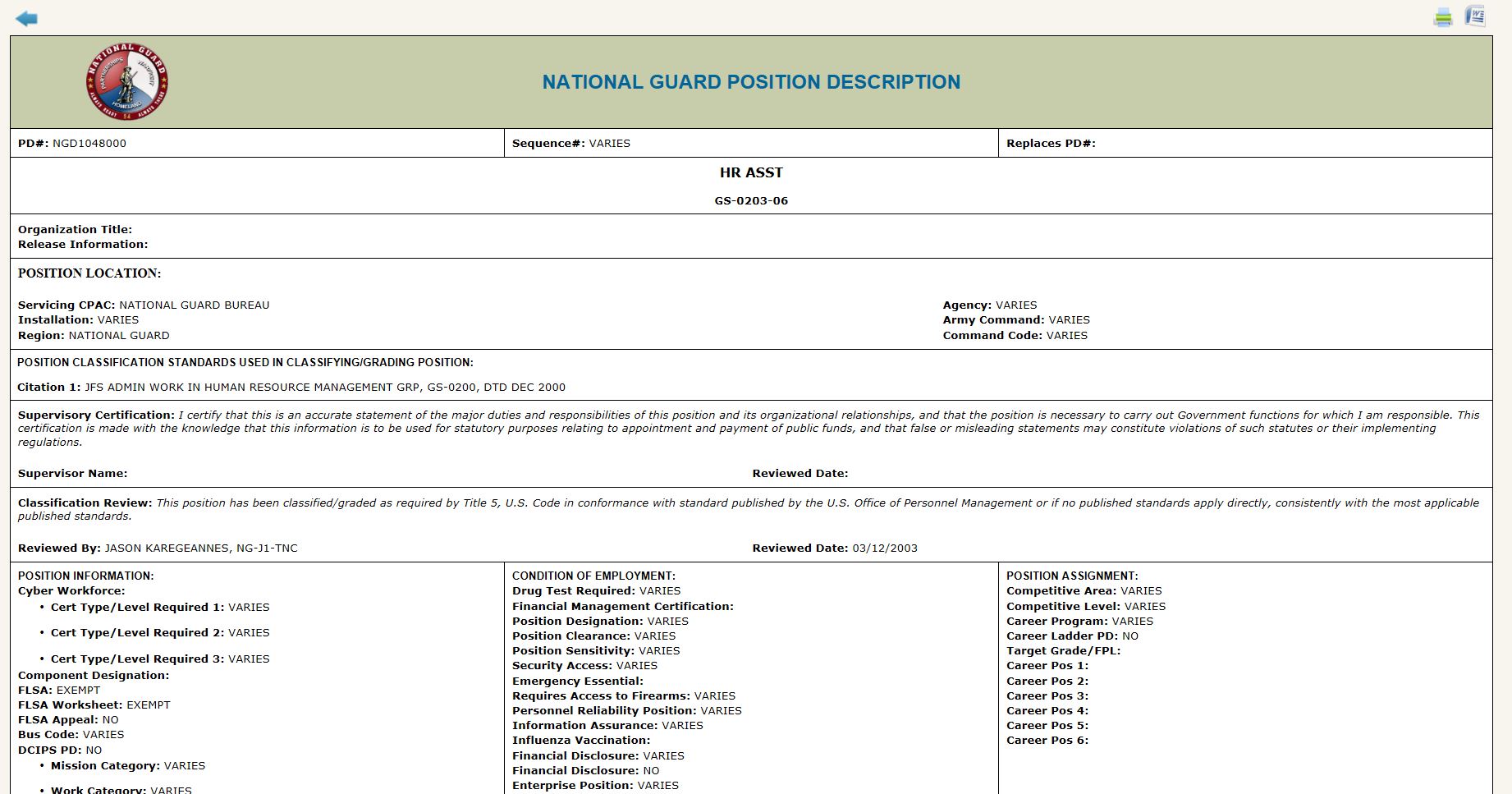
5. Click on the results. To see your Position Description.
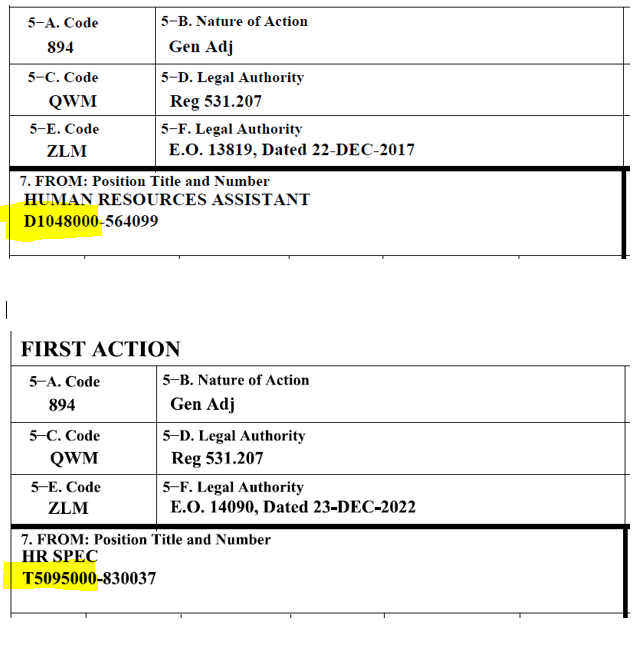
NOTE: If you do not know the number of your position description, you can log back into your USA Jobs account and search for your job that you applied it or check any SF50 block 7.
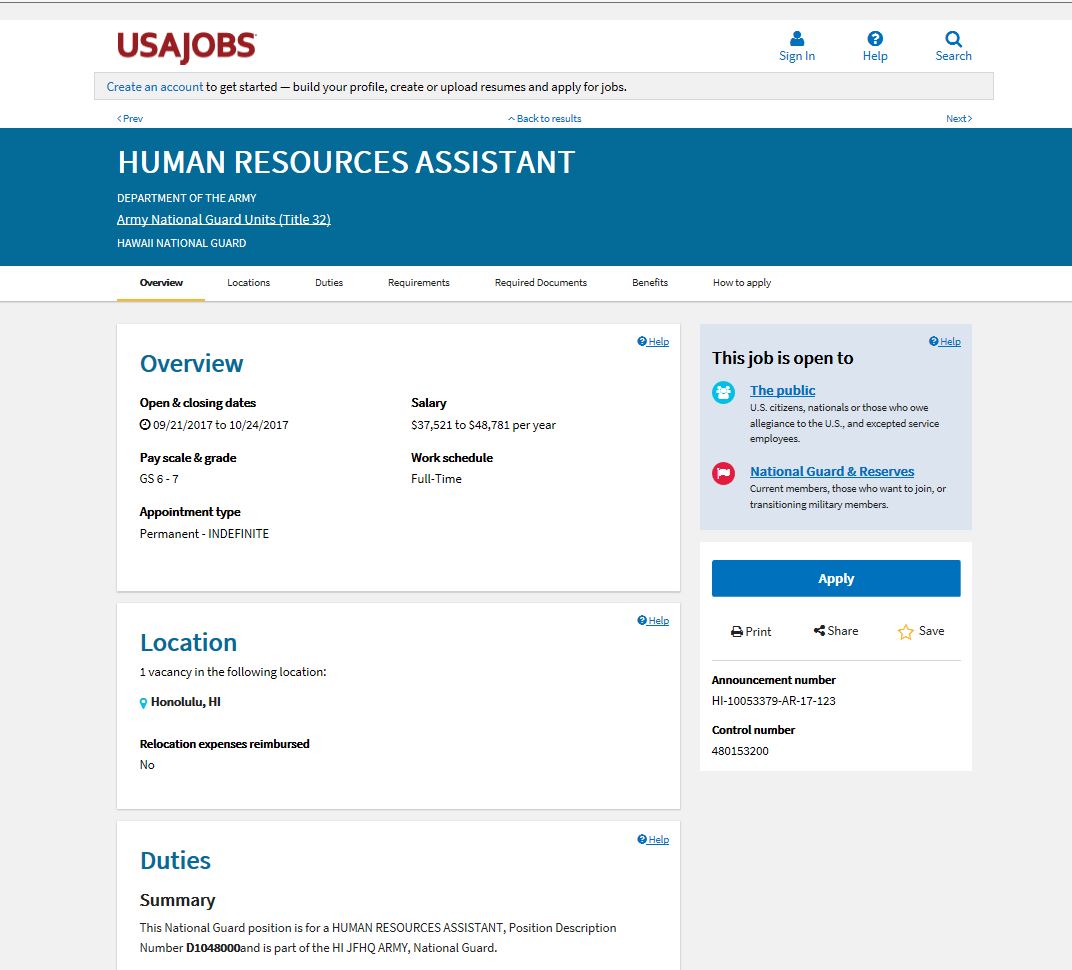
Once you find it scroll down to Responsibilities and this is where you can find your PD# on the last bullet.
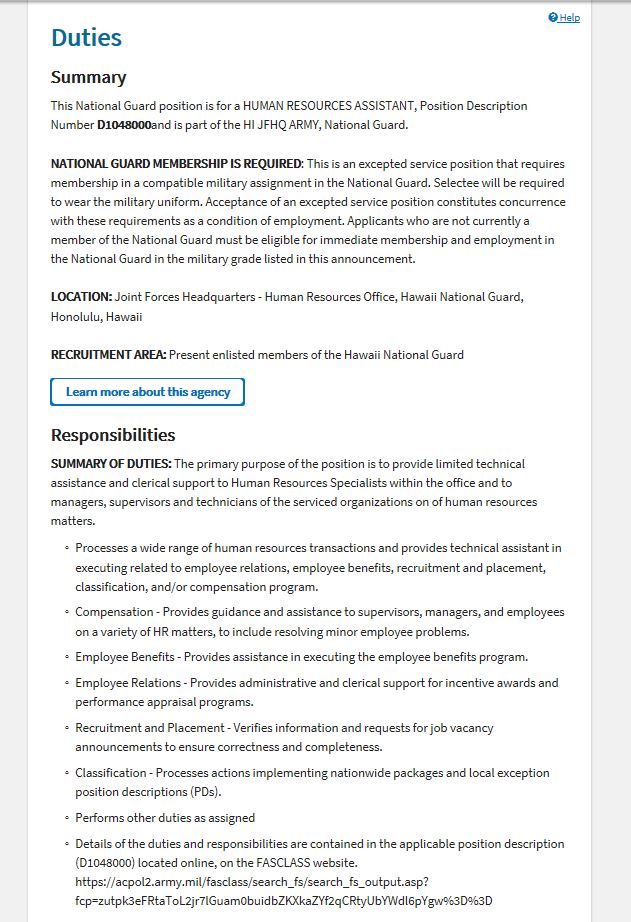
Example Title 32 position number and example Title 5 position number from your SF50.